 Free IPTV Playlists
Looking for working Free M3U Playlists to stream international live TV, sports, movies, and entertainment channels without buffering? This permanent Free M3U Playlists hub is updated regularly with tested M3U and M3U8 links—ready to load directly into TiviMate, IPTV Smarters Pro, VLC Media Player, Kodi, and Smart TV apps.
1. Tested Free M3U Playlists by Category
Instead of loading a single oversized file that slows down older devices, choose one of the categorized Free M3U Playlists below based on the channels you watch most.
http://your-server-domain.com/get.php?username=M3U_USER&password=M3U_PASS&type=m3u_plus&output=ts
2. Country-Specific M3U Playlist Links
Regional playlists group local national channels, news, and domestic sports networks into lightweight URLs for faster loading on Smart TVs and Firestick devices.
3. M3U vs. M3U_Plus: Which Link Should You Use?
When copying Free M3U Playlists into your player, you will often see two formatting parameters in the URL: standard type=m3u and extended type=m3u_plus. Standard M3U files list raw channel names and stream URLs in a simple flat list, making them ideal for lightweight desktop players or quick link testing.
Extended M3U_Plus playlists include extra metadata tags such as group-title, tvg-logo, and tvg-id. These tags allow modern apps like TiviMate, OTT Navigator, and IPTV Smarters Pro to automatically sort channels into country folders, display network logos, and sync with electronic program guides. For output format, choose output=ts (MPEG-TS) on TV boxes and output=m3u8 (HLS) for mobile or web players.
4. Player Guide: How to Load Free M3U Playlists
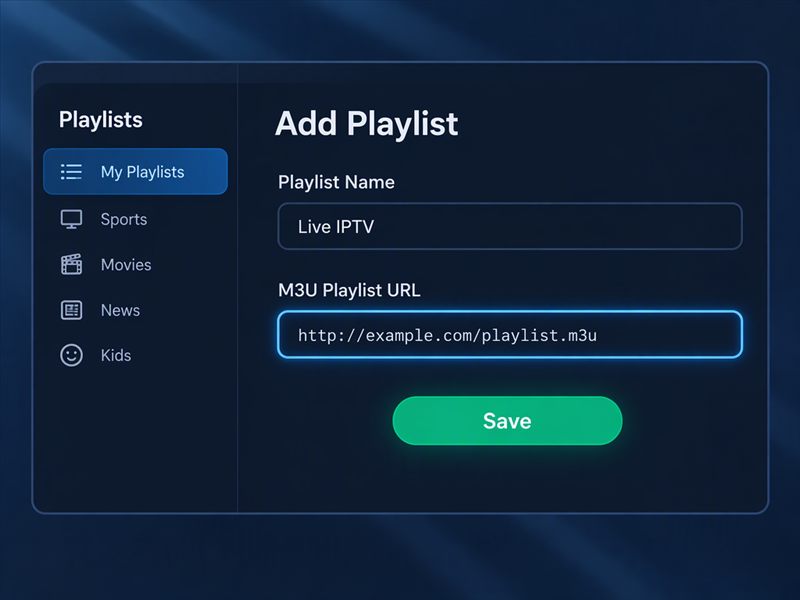
Step 1: TiviMate & IPTV Smarters Pro (Firestick / Android TV)
- Open the app and select Add Playlist → Load Your Playlist or File/URL.
- Choose M3U URL, enter any playlist title, and paste one of the verified M3U links above.
- Click Next / Add User to download the channel groups and start watching.
Step 2: VLC Media Player (Windows, macOS & Linux)
- Launch VLC and press
Ctrl + N(or go to Media → Open Network Stream). - Paste the M3U playlist URL into the network address box and click Play.
- Press
Ctrl + Lto open the full playlist sidebar and switch between channels.
5. Frequently Asked Questions
Why do some Free M3U Playlists stop working after a few hours?
Public M3U links often have limited concurrent connection slots. When too many users connect to the same server simultaneously, streams may freeze or disconnect. Return to this permanent hub to grab freshly tested backup URLs.
How can I fix buffering or looping on M3U streams?
In VLC or TiviMate, enable the Loop Playlist / Auto-Reconnect option and increase network caching/buffer size to 3–5 seconds. Switching the stream output from .ts to .m3u8 can also stabilize playback on unstable Wi-Fi.
Can I convert an M3U playlist into Xtream Codes login details?
Yes. If your M3U link contains get.php?username=...&password=..., the domain at the start is your Server URL, followed by your Username and Password.


Leave a Reply