 Free IPTV Playlists
Looking for tested STB EMU Codes and working Stalker portal MAC addresses to stream live TV channels and sports on Android TV, Firestick, or set-top boxes? This permanent STB EMU Codes hub is updated regularly with active portal URLs, formatted MAC addresses, and step-by-step setup instructions alongside guides for VLC Media Player and other streaming setups.
00:1A:79:XX:XX:XX MAC1. Working STB EMU Codes & Stalker Portal MAC Addresses
To connect using STB EMU Codes, pair the exact Portal URL with one of the active MAC Addresses listed for that portal. Do not mix a MAC address from one portal URL with a different portal address.
Europe, UK & International Stalker Portals
North America & Global Backup Portals
2. How Stalker Portal MAC Authentication Works
Unlike username-and-password playlists, STB EMU Codes rely on a hardware-style MAC address (most commonly starting with 00:1A:79: for MAG-style profiles) paired with a Stalker / Ministra middleware portal URL. When your client connects to the portal endpoint (often ending in /c/), the server checks whether that MAC address is authorized and loads the assigned channel bouquets and EPG.
Because multiple users may test public MAC addresses on shared portals, session conflicts or temporary connection blocks can occur. If a MAC address fails to load channels or stalls on the loading screen, test the next row in the table or restart the emulator profile after saving changes.
3. Setup Guide: Configuring STB EMU Codes & MAC Address
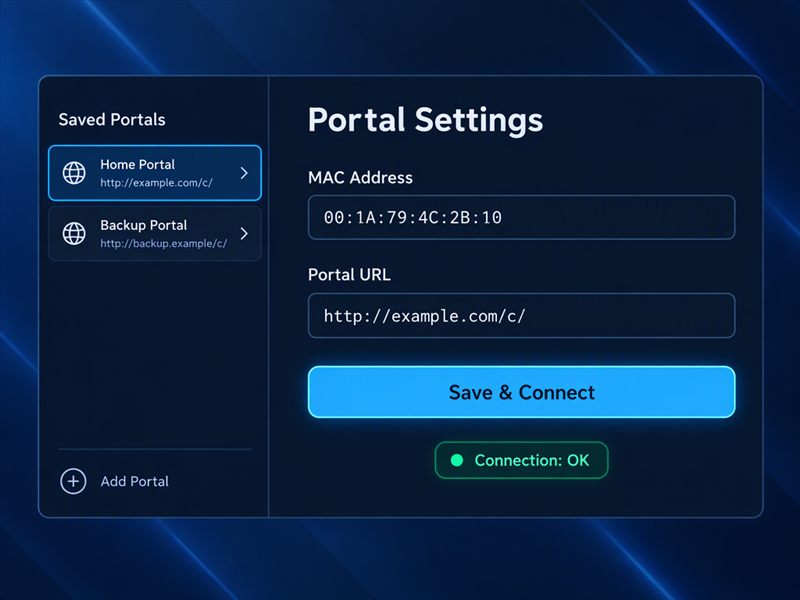
STB Emulator / Stalker Player (Firestick & Android TV)
- Open STB Emulator (or your Stalker-compatible player) and go to Settings → Profiles.
- Create a new profile or edit your active profile, then open Portal Settings and paste the exact Portal URL.
- Open STB Configuration, enter the matching MAC Address, and confirm the STB model (such as MAG254) is selected.
- Return to the main screen, press Menu / Reload Portal, and wait for the channel list to initialize.
4. Frequently Asked Questions
Why does the portal stay stuck on “Loading” or show a blocked message?
A MAC address may be expired, already active on another session, or temporarily rate-limited by the portal server. Try another MAC address from the table or check that the Portal URL has no missing slash or typo.
Do I need to restart STB EMU after changing the MAC address?
Yes. Reloading the portal or force-closing and reopening the app ensures the new MAC address is sent cleanly during the initial handshake with the server.
Why do some channels show no EPG info in Stalker mode?
Stalker portals usually supply EPG data directly from the portal server rather than a separate XMLTV link. If guide info is missing, switch channels briefly or adjust your time zone offset in the STB settings.


Leave a Reply